The Challenge
What Was Holding the Business Back?
Manual inspection processes made it difficult to efficiently conduct ATM audits, document issues, generate reports, and track resolutions. Inspectors required a mobile solution that simplified field inspections while ensuring timely reporting and centralized issue management.
Manual Inspections
Field inspections relied on manual checklists and paperwork, resulting in time-consuming audit processes.
Issue Documentation
Capturing inspection findings, supporting images, and issue details lacked a standardized digital process.
Report Generation
Preparing inspection reports and sharing them with management required significant manual effort.
Issue Tracking
Tracking inspection issues and maintaining audit records across multiple ATMs was inefficient.
Objective
What We Set Out to Achieve
Develop a mobile inspection application that digitizes ATM audits, automates report generation, centralizes issue management, and integrates with Microsoft Dynamics 365 to improve inspection efficiency and operational visibility.
Our Approach & Solution
How We Delivered Results
Built a Power Apps solution integrated with Microsoft Dynamics 365 that enables inspectors to perform digital ATM inspections, capture issues with images, generate automated reports, and streamline field operations.
01
Smart ATM Assignment
Displayed nearby ATMs using GPS-based location services, allowing inspectors to efficiently plan and perform inspections.
02
Digital Inspection Checklist
Implemented standardized inspection checklists with issue reporting, image capture, and detailed issue documentation.
03
Automated Report Generation
Generated inspection reports in PDF format automatically and distributed them to managers through email.
Results & Impact
The Outcome
The ATM Inspection solution streamlined field audit operations by replacing paper-based inspections with a fully digital workflow. Automated reporting, centralized issue tracking, and Dynamics 365 integration significantly improved inspection efficiency while reducing manual effort.
Conclusion
The Bigger Picture
The ATM Inspection solution modernized the banking organization's field inspection process through a mobile-first, automated platform. By combining GPS-enabled inspections, digital checklists, image capture, automated PDF reporting, and Microsoft Dynamics 365 integration, the solution reduced administrative overhead, improved inspection accuracy, accelerated issue resolution, and provided complete visibility into ATM maintenance activities.
Additional Details
The Challenge
One of our client in Banking industry needed an App for it’s ATM Inspection team to ease their inspection and report generation process.
The Solution
We developed a PowerApp for the client that have below functionalities:
- We provide the list of ATMs under the user’s designated area for inspection. The nearby ATMs will be shown on the top of the list which is sorted based on the latitude and longitude of the ATM location compared with the user’s current location using the GPS system.
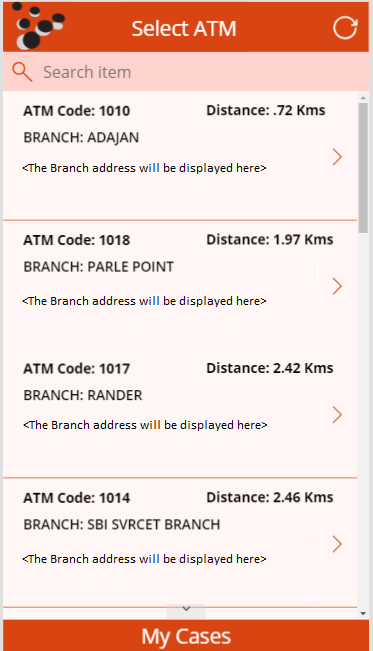
- We have framed some predefined checklists that the inspector needs to inspect in each ATM. The inspector will tick the checkbox beside the checklist if there is no issue for the same. And if there is an issue for it then, he will click on the ‘+’ button to create an issue and will be navigated to the “Add Issue Details Screen”.
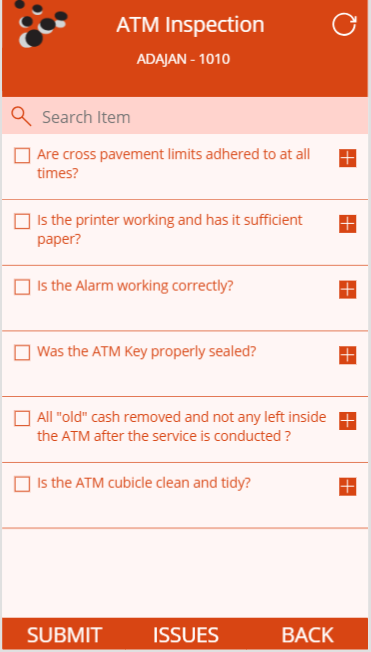
- In the Add Issue Details screen, the inspector can enter all the details concerned to the issue like ATM name, inspector name, issue title, issue type, description and also there is a provision to capture multiple images of the issue being faced.
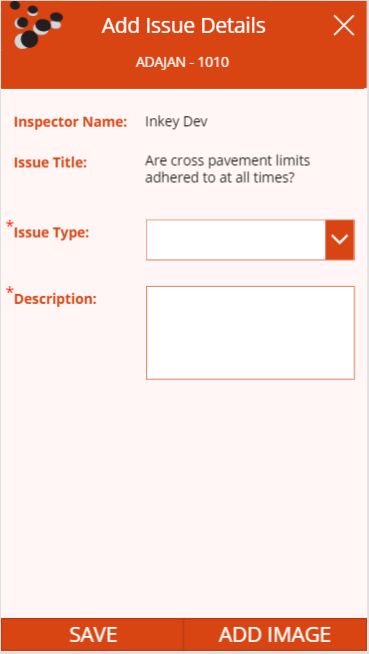
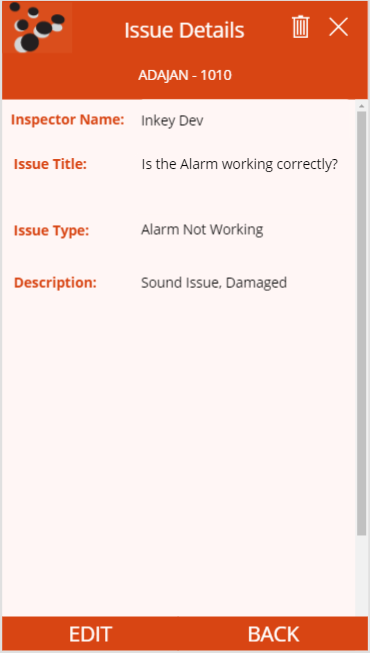
- In this Issue List screen, the inspector can see the list of issues he/she has saved. The inspector can click on each of the list items to see all the details regarding that issue.
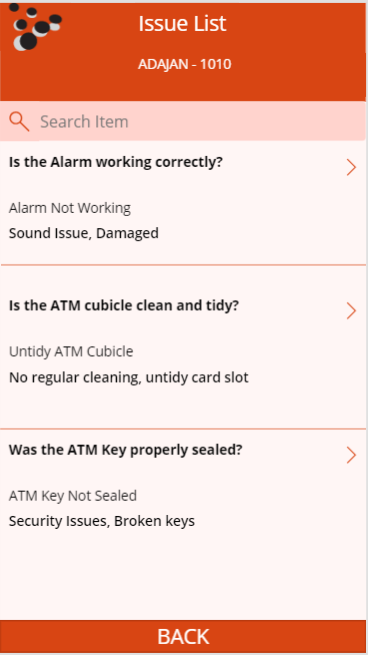
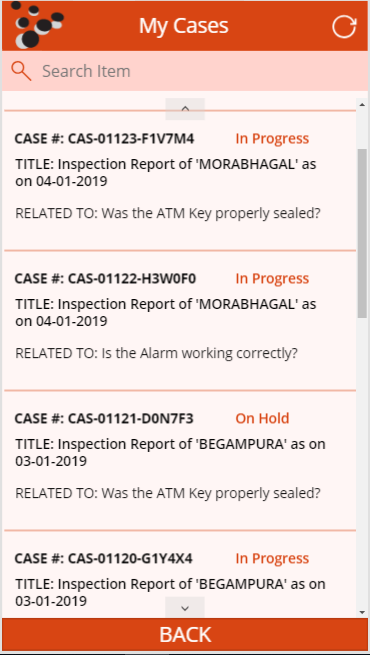
- The inspector can update the details of any issue or delete/take the new image of the issue. When the inspector is done with all the checklists and clicks on the “SUBMIT” button, a record will be created in the dynamics 365 entity named “INSPECTION REPORT”. An automatic report in the PDF format will also be generated and attached to the related “Notes” of the Inspection Report record. This PDF will then be sent to the manager of the Inspector as an attachment to the mail. And for each of the issues that have been reported, a case record will be created in the Microsoft dynamics 365.
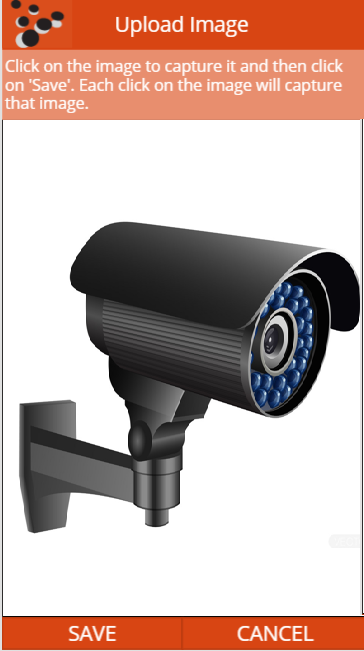
- From here the inspector can capture the images for the selected issue.
- Here, the inspector can see the list of cases created in the dynamics 365 for the reported issues for any references.
This App has helped the client to increase the inspection efficiency and eliminated the manual report generation process and everything is maintained in back-end directly with just some clicks.