Exploring the New Themes and Controls in Power Apps Canvas
 By Inkey Solutions
September 12, 2025
3 min read
By Inkey Solutions
September 12, 2025
3 min read
Microsoft has rolled out new themes and modern controls in Power Apps Canvas Apps, enhancing the app-building experience with a more interactive and polished user interface. These modern controls also come with expanded event support, reinforcing Power Apps’ commitment to low-code development.
Key controls such as Button, Gallery, and Data Table have undergone major improvements. For instance, the updated Button control now allows for global styling and additional event handling, offering greater flexibility and functionality. Other modern controls have also been refined with enhanced event support and updated designs that improve both usability and appearance.
To activate the modern theme, simply toggle it on from the App Settings.
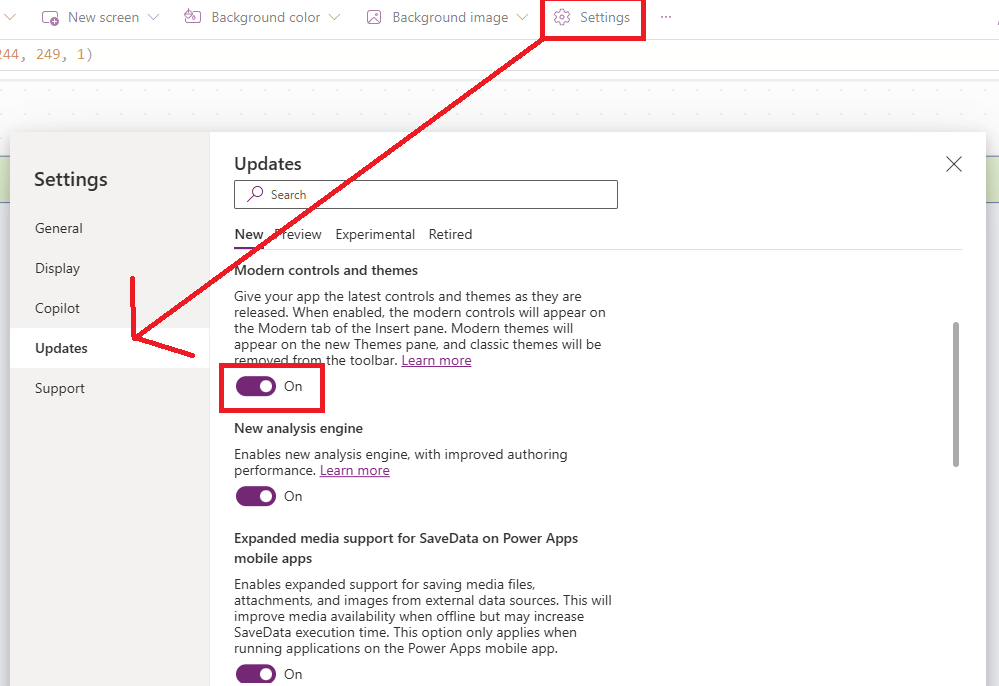
Once the modern theme is enabled, the screenshot below highlights the most commonly used new themes and controls.
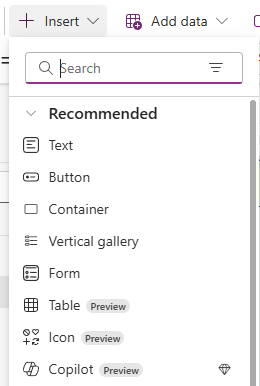
You can get a clearer understanding through the following 2–3 examples, beginning with the Data Table.
- Data Table
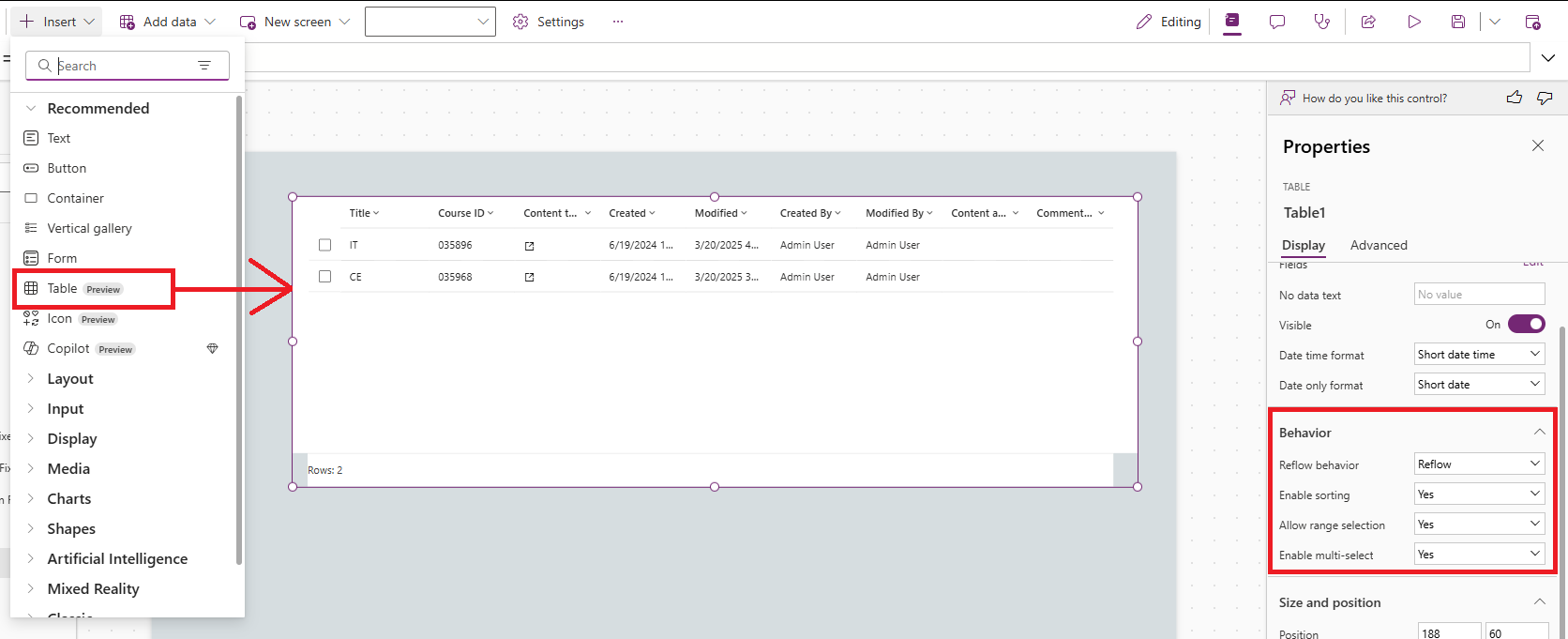
- With the modern theme enabled, the Data Table control includes several powerful new features:
- Reflow behavior – Automatically adapts the layout to fit various screen sizes for improved responsiveness.
- Enabled sorting – Supports column-wise sorting, making it easier to organize and analyze data.
- Range selection – Allows users to select a range of rows for more efficient data interaction.
- Multi-select – Enables the selection of multiple rows simultaneously, enhancing usability in data-heavy scenarios.
- Button
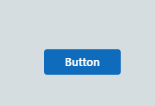
The Button control has been upgraded with several new features under the modern theme, enhancing both functionality and design:
- Icon rotation – Enables rotation of icons within the button to provide clearer visual indicators.
- Color palette – Includes predefined theme colors, ensuring consistent and professional styling.
- Flexible layout – Offers customizable alignment options for icons and text (e.g., icon positioned above, to the left, or to the right of the text).
Advantages of Modern Themes and Controls in Power Apps
The introduction of modern themes and controls brings a wide range of benefits:
- Improved User Interface (UI) – Sleeker, more professional design elements.
- More Control Events – Greater flexibility through additional event support.
- Responsive Design Support – Controls adapt to various screen sizes automatically.
- Global Styling and Theming – Consistent design across apps with centralized styling.
- Accessibility Enhancements – Improved support for inclusive app experiences.
- Performance Improvements – More efficient rendering and faster interactions.
- Low-Code Friendly – Easier configuration and customization, ideal for citizen developers.
Conclusion
The modern themes and controls in Power Apps significantly elevate the app development experience. With advanced styling options, responsive layouts, and enhanced performance, developers can build polished, user-friendly applications more efficiently, all while aligning with Microsoft’s evolving design principles.