Data Migration: SSIS to Fabric Warehouse Using API as Source
 By Inkey Solutions
December 5, 2025
4 min read
By Inkey Solutions
December 5, 2025
4 min read
In today’s data-centric world, organizations rely heavily on seamless data flow across platforms. When migrating to Microsoft’s modern Fabric Warehouse, leveraging SSIS (SQL Server Integration Services) for ETL remains a powerful solution, especially when working with diverse data sources like APIs.
This blog walks you through the complete step-by-step process of migrating data from an API source to a Microsoft Fabric Data Warehouse using SSIS.
Why This Approach?
- SSIS provides robust tools for transformation and orchestration
- APIs offer flexible, real-time access to cloud and third-party systems
- Fabric Warehouse enables high-performance analytics and seamless integration with the Microsoft ecosystem
Prerequisites
- Visual Studio with SSIS installed
- Microsoft Fabric environment with a configured OneLake Data Warehouse
- API endpoint with proper authentication
- ODBC Driver 18 or later for SQL Server
Step-by-Step Implementation
Step i: Create and Configure SSIS Package in Visual Studio
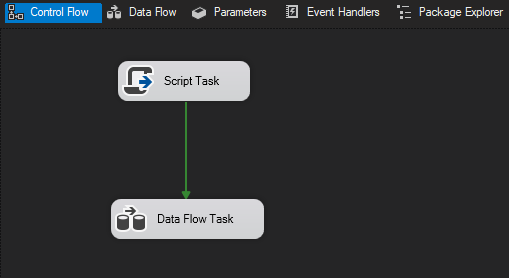
- Add a Script Task (To save JSON file from web into local)
- Add a Data Flow Task (Script component : parse JSON file, ODBC Drive: to connect to fabric and map columns)
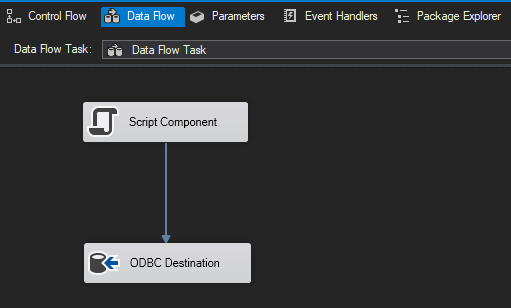
Step ii: Configure ODBC Driver to Connect Fabric Warehouse
ODBC Driver Setup (One-Time Setup)
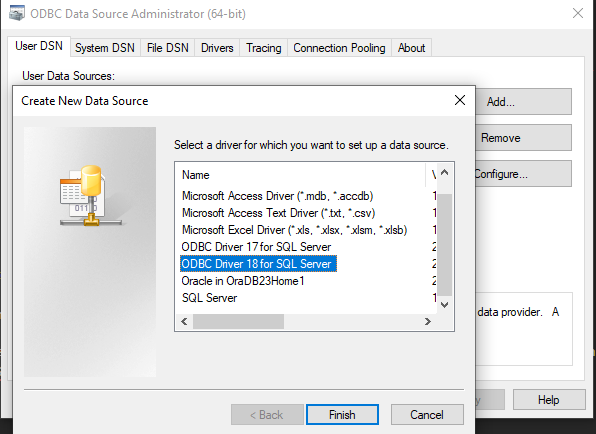
- Open ODBC Data Sources (64-bit)
- Under the User DSN tab, click Add
- Choose ODBC Driver 18 for SQL Server
- Provide:
- Server: Your Fabric Data Warehouse SQL endpoint
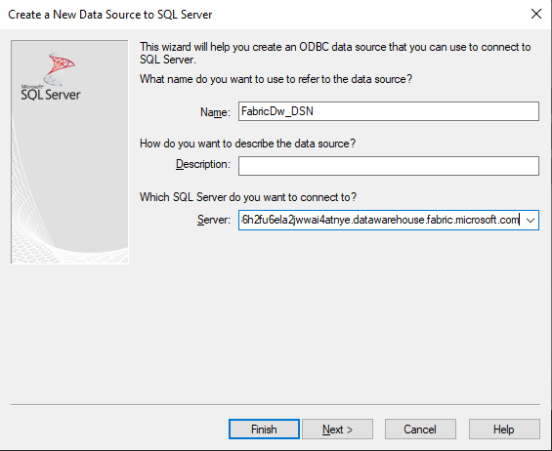
- Authentication: Choose With Azure Service Principal authentication – Login ID (Client ID) and Password (Client Secret)
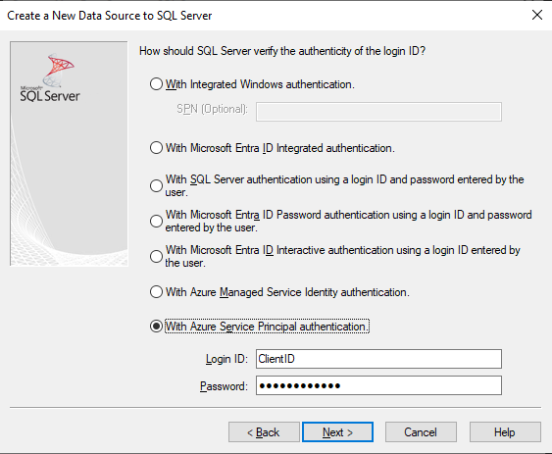
- When using Client ID and Secret, ensure:
- You register an app in Microsoft Entra ID (Azure AD)
- Grant Admin Access to the app in Fabric Workspace under “Manage Access”
- Configure Delegated permissions for Fabric.ReadWrite.All
- In DSN configuration, Select default DB, in my case it is “POC_Warehouse” (name of datawarehouse on fabric)
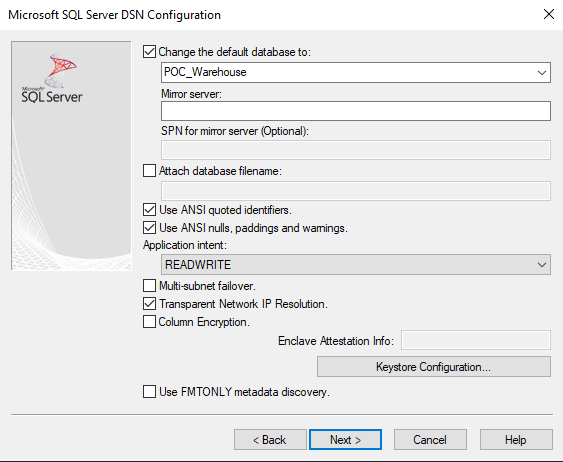
- Test connection, it should succeed
Step iii: Use Script Task > Edit Script
Use this task to call an API. Store the result in SSIS variables/local folder to be reused in the Script Component.
Csharp:
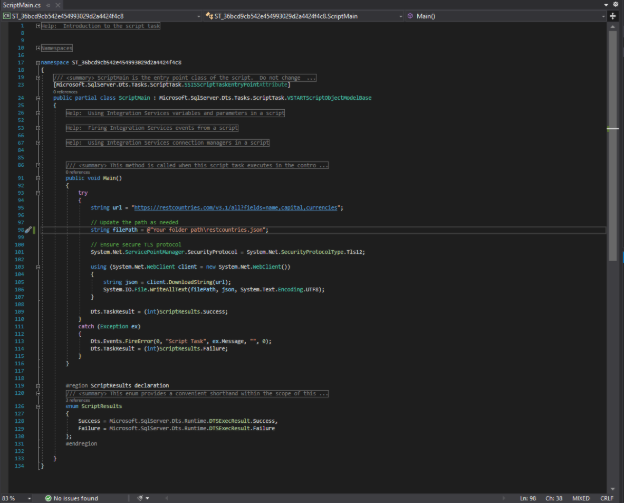
Step iv: Use Script Component inside Data Flow to Call API and Extract Data
Inside the Data Flow:
- Add a Script Component as Source
- Define your output columns manually in the Script Component editor
- Use the following Edit script > C# code to call the file and parse the JSON
Csharp:
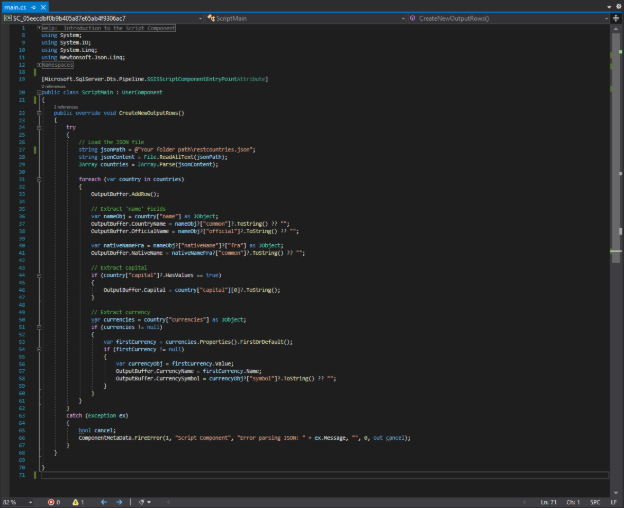
Step v: Prepare Fabric Warehouse Table
Before loading data:
- Open your Fabric Workspace
- Go to the Data Warehouse (SQL Endpoint)
- Run a script like the following to create your destination table:
Sql:
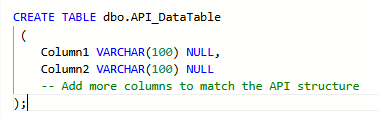
Once created, this table should become visible in your ODBC Destination component in SSIS.
Step vi: Map and Load Data Using ODBC Destination
- In SSIS Data Flow, connect the Script Component to the ODBC Destination
- Configure the ODBC Destination:
- Select the DSN created earlier
- Choose the target table (created in Fabric)
- Map columns accordingly
- Optionally, set batch size for performance tuning
Step vii: Deploy and Monitor
You can Run directly or deploy the SSIS package using:
- SSISDB Catalog
- SQL Server Agent
- Azure-SSIS IR (if in cloud)
Monitor execution and validate data in Fabric Warehouse via SSMS or Fabric web interface.
Tips for Production
- Add retry and timeout logic in Script Component
- Handle errors using Event Handlers and Logging in SSIS
- Use Incremental loads by filtering API calls with timestamps
- Avoid data truncation, match column lengths accurately between SSIS and Fabric table
Example Use Case
You are ingesting daily product or transaction data from a third-party API and storing it in Microsoft Fabric for Power BI reporting. Using SSIS, the data can be extracted, optionally enriched, and reliably written to Fabric’s Data Warehouse.
Benefits of This Approach
- No need to rebuild pipelines, SSIS works with your existing architecture
- Leverages secure API and Fabric integration
- Supports full or incremental load strategies
- Fabric Warehouse is optimized for analytics at scale
Conclusion
Migrating data from APIs to Microsoft Fabric using SSIS is a reliable, flexible, and enterprise-ready solution. With a few setup steps, especially around ODBC connectivity and Entra ID-based authentication, you can automate real-time data integration into a modern analytics platform.