How to Add the Description 2 Field to Production & Planning Pages in Business Central?
 By Hetal Tank
September 11, 2026
3 min read
By Hetal Tank
September 11, 2026
3 min read
Introduction:
Microsoft Dynamics 365 Business Central continues to enhance manufacturing and production capabilities with improved data visibility and personalization options. One of the latest improvements is the expansion of the Description 2 field across multiple production, BOM, routing, and planning-related pages.
Previously limited in availability, in 2026 Release wave 1 update the Description 2 field can now be personalized on many manufacturing pages. This enhancement gives users better clarity, improved documentation, and more detailed operational insight throughout production processes.
Business Value:
The addition of the Description 2 field across production and planning pages provides several benefits:
- Improved clarity in production documentation
- Ability to store additional operational notes or specifications
- Better differentiation between similar components or routing steps
- Enhanced reporting and traceability
- More structured production communication
- Because the field is added at the table level, it is fully supported in:
- Planning processes
- Routing management
- Production order creation
- Component handling
- Version comparisons
This ensures consistency throughout the entire manufacturing workflow.
Requirement:
How can you utilize and personalize the Description 2 field on production and planning pages in Business Central?
Prerequisites:
- Access to Microsoft Dynamics 365 Business Central
- Appropriate permissions for personalization
- Manufacturing module enabled
Solution (Implementation Steps):
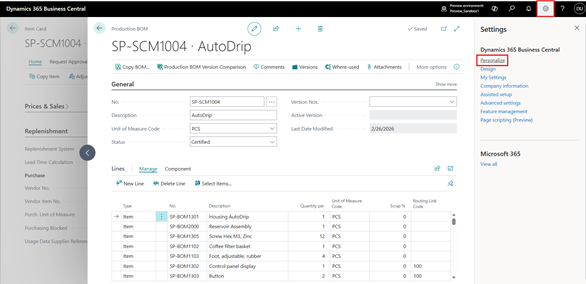
- Click on the Search icon
in the top right corner and Select Personalize option.
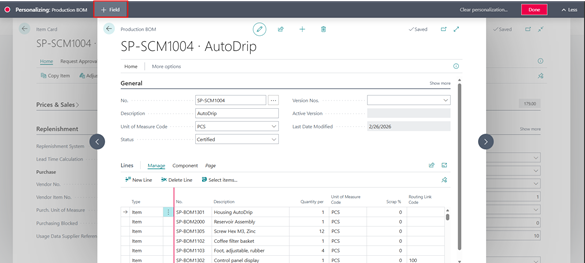
- Click + Field option from the menu bar.
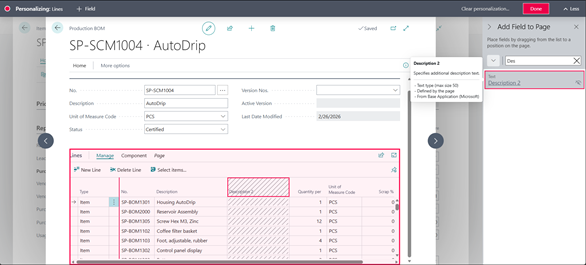
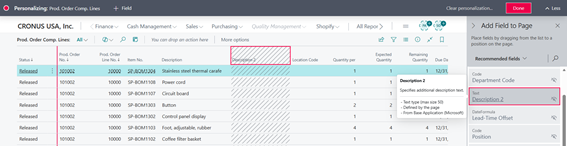
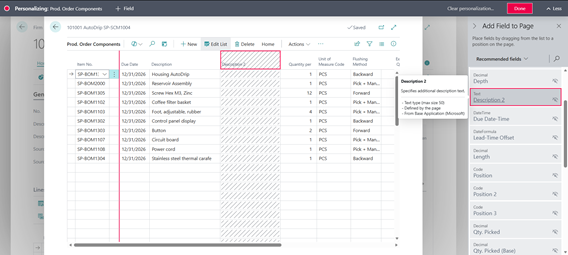
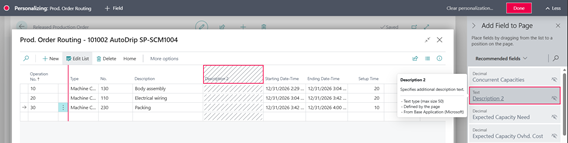
- In the right-side panel, use the search option and type “Description 2”. The field will be displayed on the screen. Drag and drop it to the desired location on the page. Click Done to save personalization.
- Production BOM Lines (Page 99000788)
- Pages Where Description 2 is Available:
The Description 2 field can now be personalized on the following pages:
Production BOM Pages
- Production BOM Lines (Page 99000788)
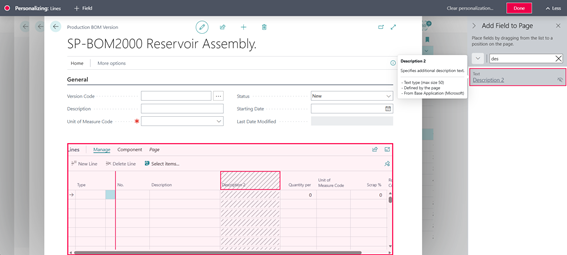
- Production BOM Version Lines (Page 99000789)
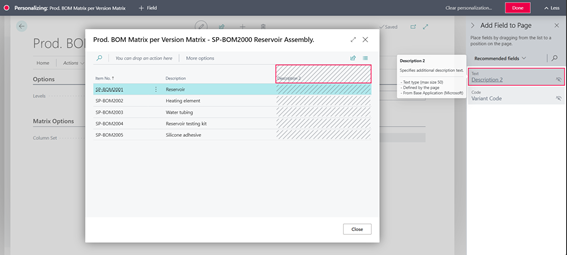
- Prod. BOM Mat. per Ver. Matrix (Page 9287)
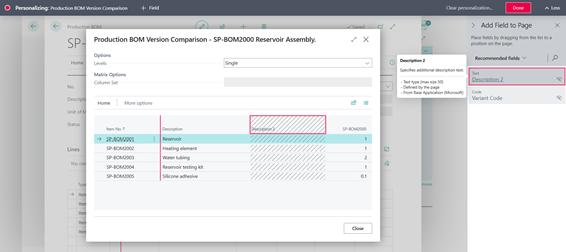
- Prod. BOM Version Comparison (Page 9288)
Planning Pages
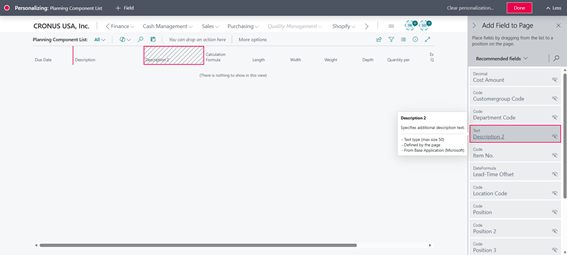
- Planning Component List (Page 99000861)
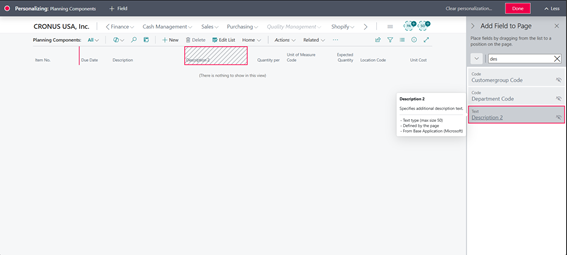
- Planning Components (Page 99000862)
- Planning Routing (Page 99000863)
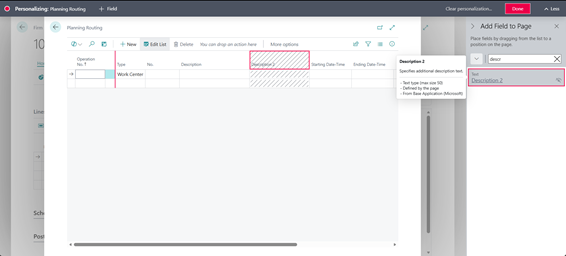
Production Order Pages
- Prod. Order Comp. Lines (Page 5407)
- Prod. Order Components (Page 99000818)
- Prod. Order Routing (Page 99000817)
- Prod. Order Routing Lines (Page 5408)
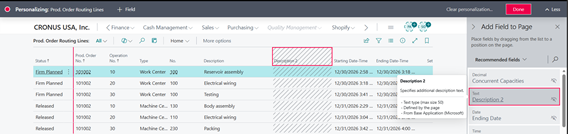
Routing Pages
- Routing Lines (Page 99000765)
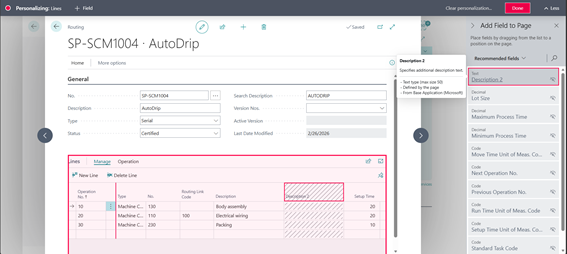
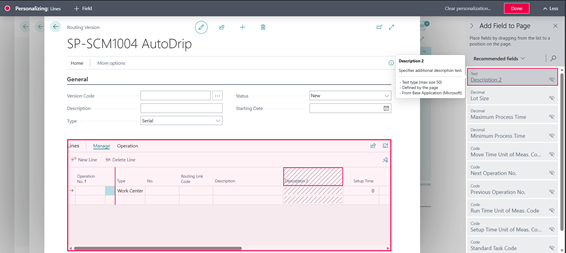
- Routing Version Lines (Page 99000767)
Task & Work Center Pages
- Standard Tasks (Page 99000799)
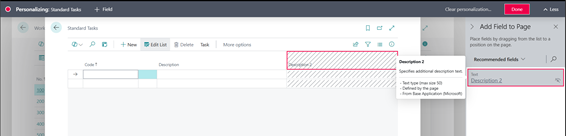
- Machine Center Task List (Page 99000916)
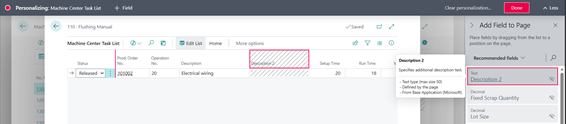
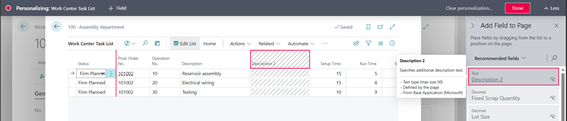
- Work Center Task List (Page 99000915)
Conclusion:
The expansion of the Description 2 field across production, BOM, routing, and planning pages in Microsoft Dynamics 365 Business Central provides greater flexibility and improved operational clarity. By enabling users to store additional descriptive information directly within manufacturing records, this update enhances visibility, reduces confusion, and strengthens production documentation processes. As Business Central continues to evolve, enhancements like this demonstrate Microsoft’s commitment to practical improvements that increase efficiency and usability across manufacturing operations.