How to Adjust the FactBox Pane Width in Microsoft Dynamics 365 Business Central?
 By Inkey Solutions
July 3, 2026
2 min read
By Inkey Solutions
July 3, 2026
2 min read
Introduction
Microsoft Dynamics 365 Business Central continues to improve user experience by offering more flexibility in page layouts. With the 2025 release wave 1, users can now resize the FactBox pane across supported pages and page types. This makes it easier to view additional details without losing focus on the main workspace, improving efficiency and comfort.
Business Value
By allowing users to adjust the FactBox pane width, Business Central ensures that critical information is always accessible in the most convenient way.
- Users can work optimally with more space for details.
- The system remembers each user’s preference, ensuring a personalized experience.
- The smooth reflow of content enhances readability and prevents clutter.
Overall, this feature boosts productivity and helps teams focus on what matters most.
Requirement
How to resize and manage the FactBox pane in Business Central?
Prerequisites
- Ensure you are using the latest version of Microsoft Dynamics 365 Business Central.
- Verify that you have access to pages or page types that support the FactBox pane.
Solution (Implementation Steps)
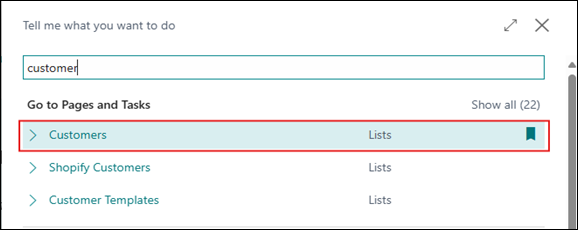
- Click on the Search icon and Search the name of any page that supports a FactBox pane, then click on the related link to open it.
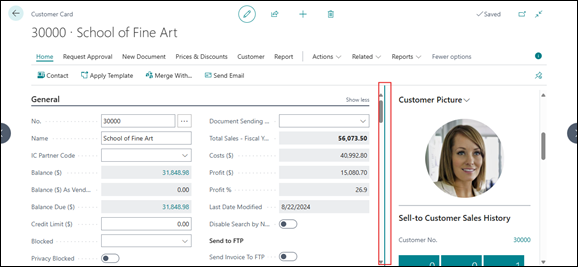
- Click on any record to open it, then hover your cursor over the divider between the main page and the FactBox pane.
- Drag the divider left or right to adjust the width of the FactBox pane. As you resize, the content will reflow smoothly to fit the available space.
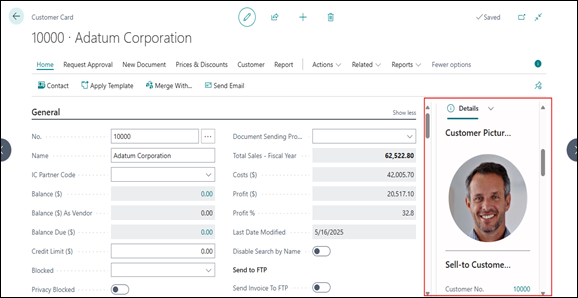
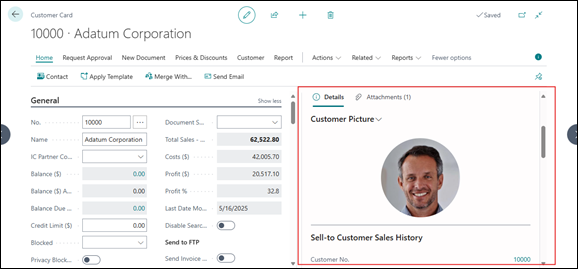
- The main page area remains visible within certain proportions for ease of use.
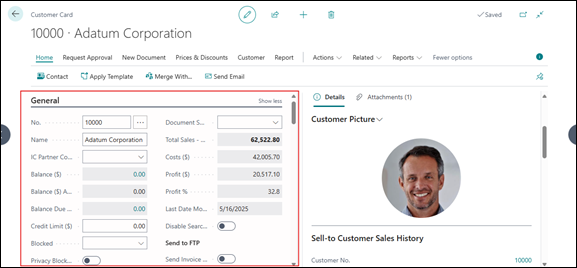
- The browser automatically remembers your FactBox pane size for each user and page. When you close and reopen the same page, Business Central will display the view with the size you previously set.
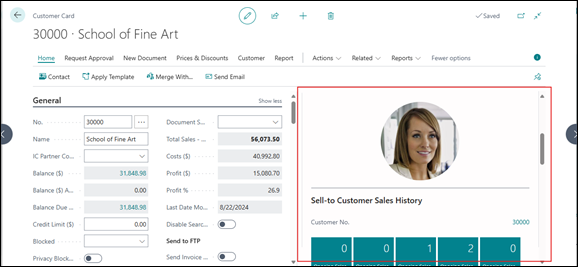
- If you want to reset the pane size, simply double-click the divider to return it to the default setting.
Conclusion
The ability to resize the FactBox pane in Microsoft Dynamics 365 Business Central is a small but powerful enhancement that significantly improves usability. By customizing the width, users can view details more clearly while keeping the workspace organized. With preferences saved automatically, this feature ensures a smoother, more personalized experience that enhances daily productivity.