How to Use service invoice posting policy for various users in Microsoft Dynamics 365 Business Central
 By Inkey Solutions
September 9, 2025
3 min read
By Inkey Solutions
September 9, 2025
3 min read
Introduction
Managing invoices and shipments efficiently is crucial for business operations, and Microsoft Dynamics 365 Business Central has introduced a useful feature to help streamline this process. The new feature allows you to set policies for how service invoices are processed, accommodating various business needs and improving workflow efficiency.
Business Value
Different companies have different processes for handling invoices and shipments. Some might have a single person responsible for everything, while others may have multiple team members each managing their own tasks. The new posting policy settings in Business Central allow you to customize how invoices are processed, which can reduce errors and ensure your processes align with your business model. This feature simplifies management and provides better control over how documents are posted.
Requirement
To utilize these new posting policies for service invoices, follow these steps:
Prerequisites
Ensure you are using the latest version of Microsoft Dynamics 365 Business Central.
Verify that you have the necessary permissions to modify user settings and posting policies.
Solution (Implementation Steps)
Step 1: First step is Set Up Posting Policies on User Set Up page.
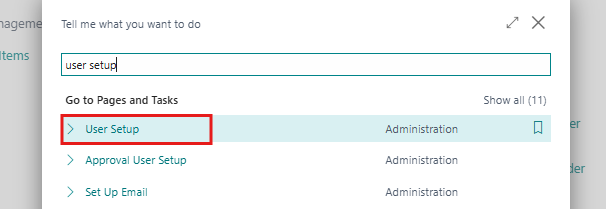
- The First step is Click on Search icon and search for User Set Up and Navigate to the User Set Up page in Business Central.
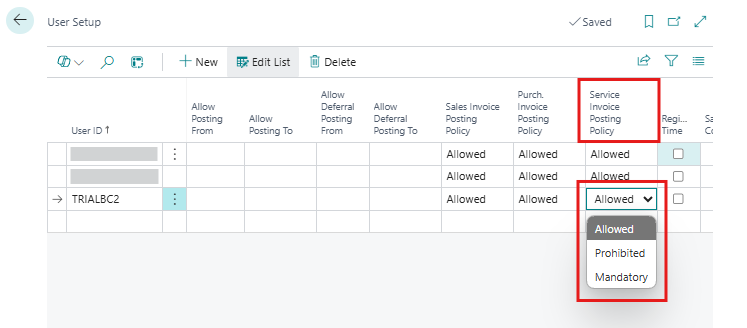
- In the Service Invoice Posting Policy field, there are three options select one of the following options:
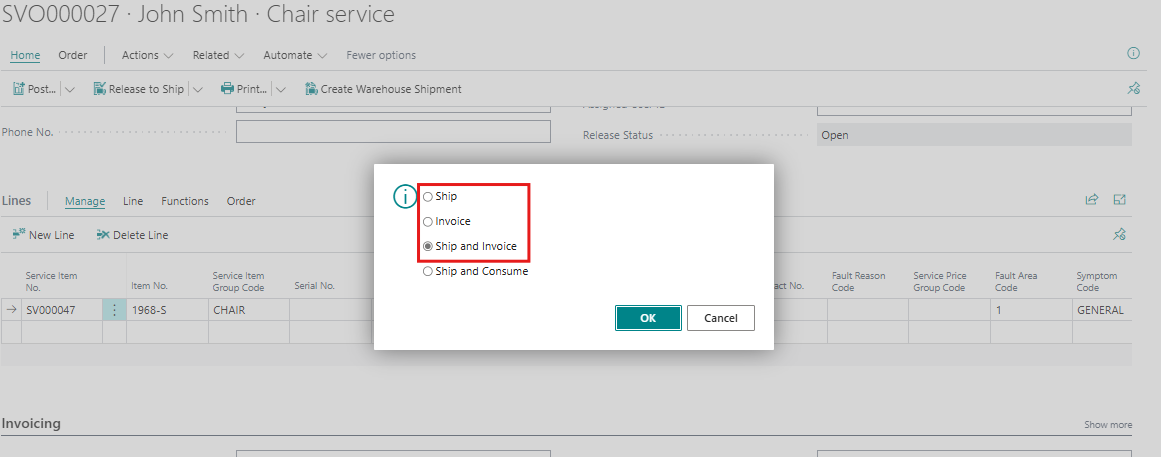
- Allowed (Default): Users can choose from options like Ship, Invoice, or Ship and Invoice.
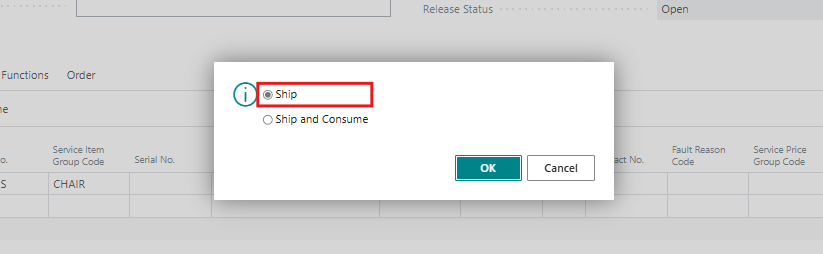
- Prohibited: Users can only choose to Ship. Posting invoices is restricted.
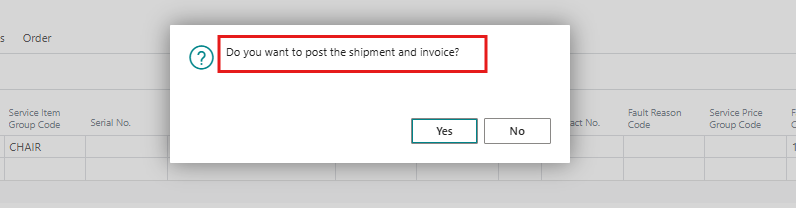
- Mandatory: Users must post invoices together with service shipments.
Step 2: Now Try to post the Service Document Like:
- Service orders
- Warehouse shipments
- Service invoices
- Service credit memos
- To Understand How the Policy Affects Different Documents Here’s how each setting affects various documents:
| Document | Allowed | Prohibited | Mandatory |
|---|---|---|---|
| Service Order | Options to Ship, Invoice, or Ship and Invoice | Confirmation dialog: “Do you want to post the shipment?” | Confirmation dialog: “Do you want to post the shipment and invoice?” |
| Warehouse Shipment | Options to Ship or Ship and Invoice | Confirmation dialog: “Do you want to post the shipment?” | Confirmation dialog: “Do you want to post the shipment and invoice?” |
| Service Invoice | No options – it posts as usual | Confirmation dialog: “Do you want to post the invoice?” | Confirmation dialog: “Do you want to post the invoice?” |
| Service Credit Memo | No options – it posts as usual | Confirmation dialog: “Do you want to post the credit memo?” | Confirmation dialog: “Do you want to post the credit memo?” |
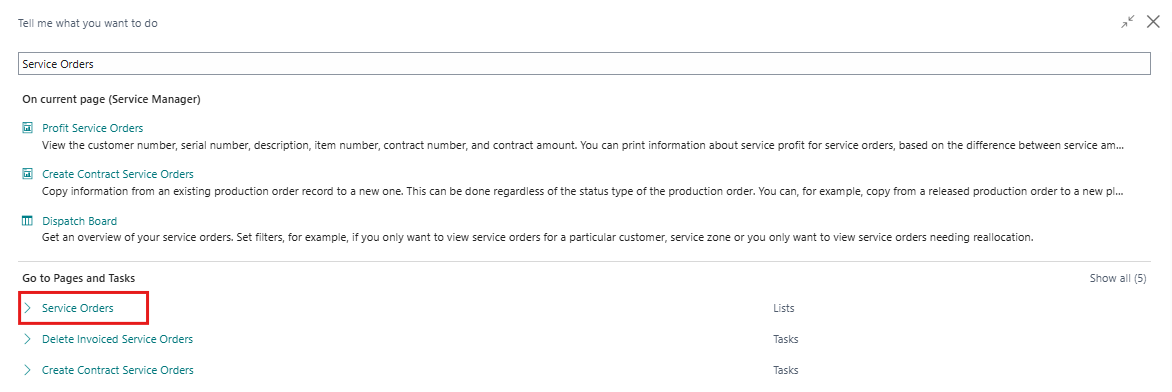
- To create or Open a Service Order or any of the other documents mentioned, click on the Search icon, search for Service Order and navigate to the Service Order page in Business Central.
- From the Service Order page, create or open a service order and try to post it using the different posting policies set in the User Setup.
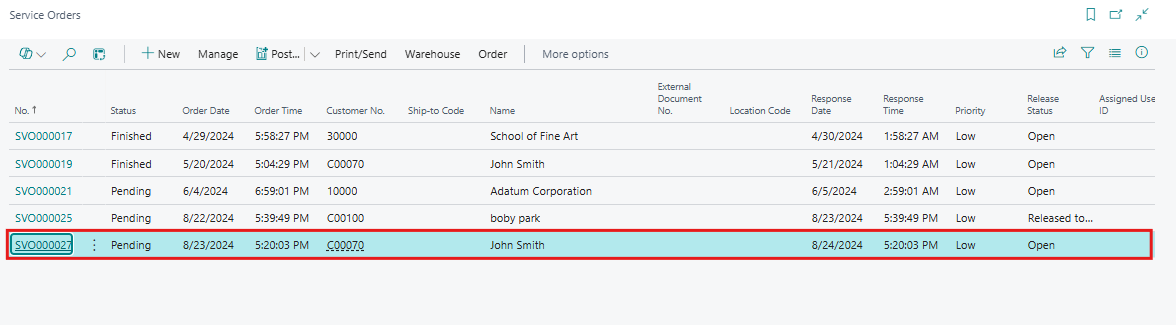
- To post the Service order Click on Home > Post > Post from menu bar.
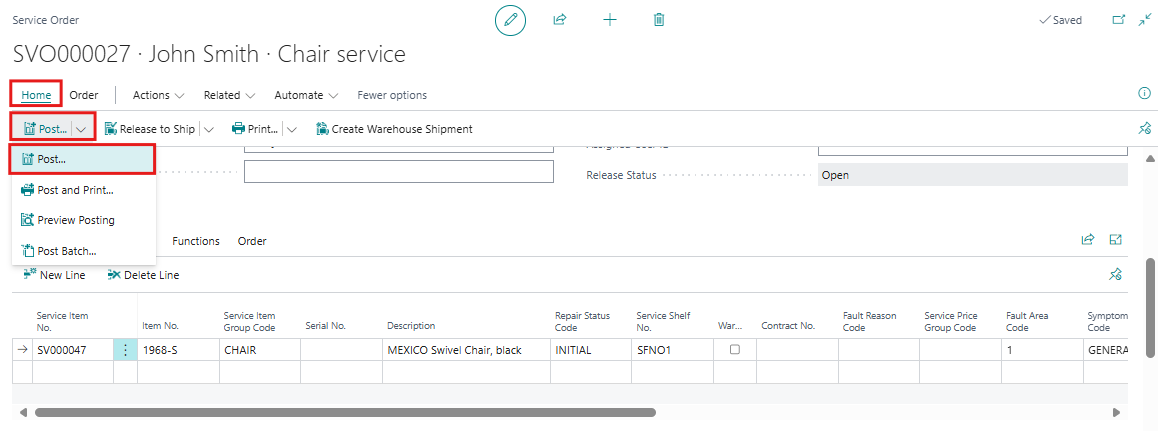
- Let’s go through each of the three policies one by one to see how each policy affects the service order posting action. Below are screenshots illustrating all three different policies.
-
- Allowed posting policies:
- Prohibited posting policies:
- Mandatory posting policies:
Users can use appropriate Invoice posting policies as per their need.
Conclusion
The new service invoice posting policies in Microsoft Dynamics 365 Business Central offer flexibility to match your unique business processes. Whether you need to restrict posting options, mandate combined postings, or maintain current practices, these settings enhance control and accuracy in your invoicing and shipment processes. Implementing these policies helps streamline operations, reduces errors, and improves overall efficiency in your business management.