Enhanced Usability for Service Management in Microsoft Dynamics 365 Business Central
 By Inkey Solutions
July 4, 2025
3 min read
By Inkey Solutions
July 4, 2025
3 min read
Introduction:
Microsoft Dynamics 365 Business Central continues to evolve to meet the needs of businesses seeking improved service management. The 2024 Release Wave 2 introduces several enhancements that streamline workflows, improve tracking, and facilitate better communication for service-related tasks. Key updates include the addition of useful fields, simplified order processes, and more robust reporting options. These updates are designed to help users manage service items, service orders, and related documents more efficiently.
Business Value:
The new service management features in Business Central improve service operations by enabling easier tracking of service items, orders, and references. Key updates include the Customer Name field on service items, enhanced search with the Your Reference field, and streamlined quote-to-order processes. Additionally, customizable report selections allow businesses to tailor their reporting to meet specific needs, improving efficiency and visibility.
Requirement:
How can you utilize these new service management features in Business Central?
Prerequisites:
Ensure you have access to Microsoft Dynamics 365 Business Central and the necessary permissions to modify service management pages and settings.
Solution (Implementation Steps):
Step 1: Add Customer Name to Service Items Page
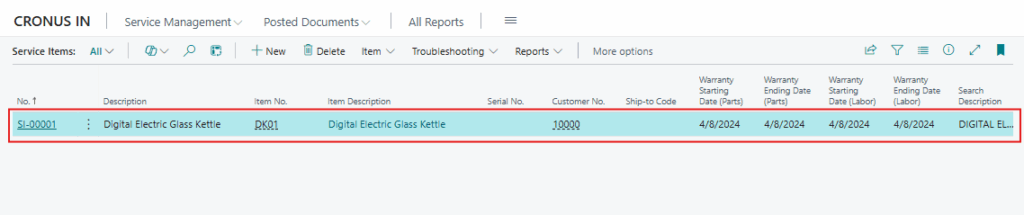
To identify the customers using service items, follow these steps:
- Click on the
 search icon in the top right corner and search for a “Service Items” page. Then, open the “Service Item card” page in Business Central.
- The “Customer Name” field will now appear on service item card, allowing you to see the associated customer for each service item.
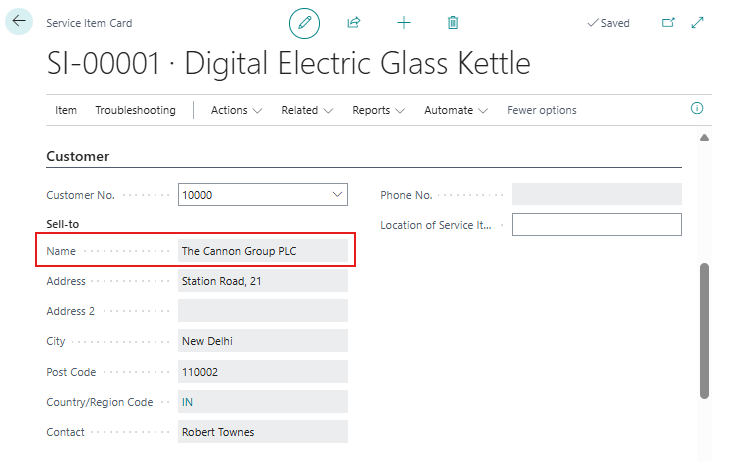
This addition helps improve the management of service items by linking them directly to specific customers.
Step 2: Use the Your Reference Field to Search
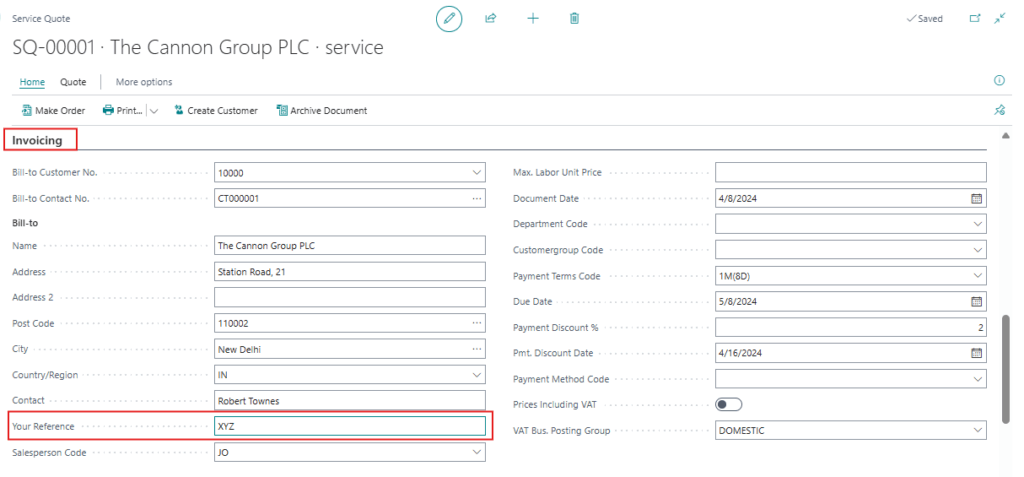
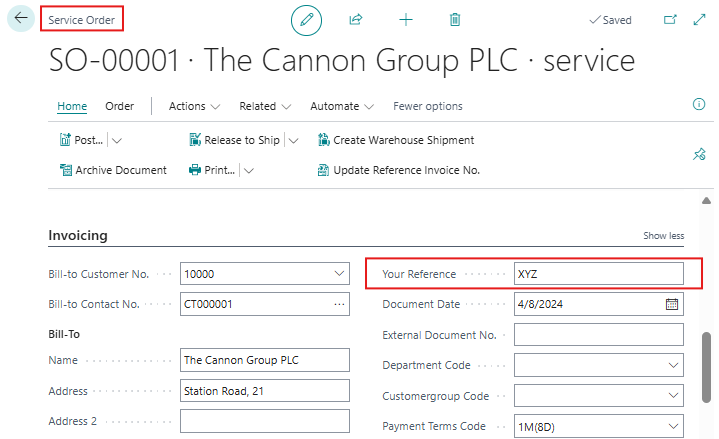
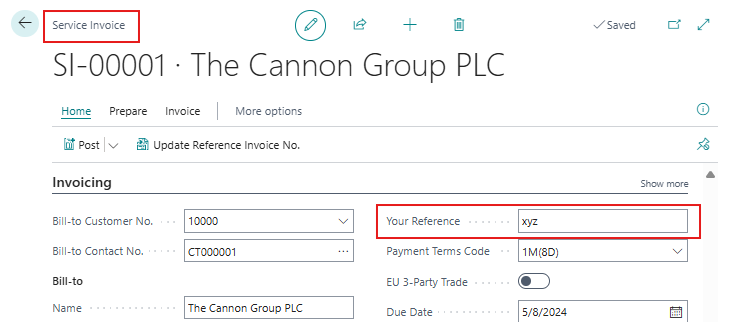
To make it easier to find records by their reference numbers, the “Your Reference” field has been added to several service-related pages:
- Service Quotes
- Service Orders
- Service Invoice
- Posted Service Invoice
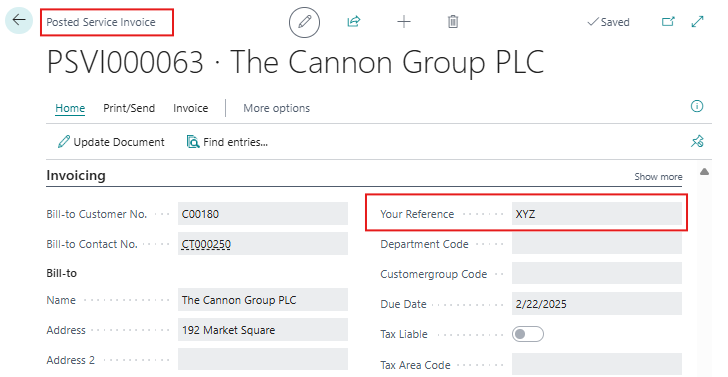
This addition enhances search functionality, allowing you to quickly locate records based on your reference numbers.
Step 3: Streamline the Make Order Process
To simplify the order conversion process for service and sales:
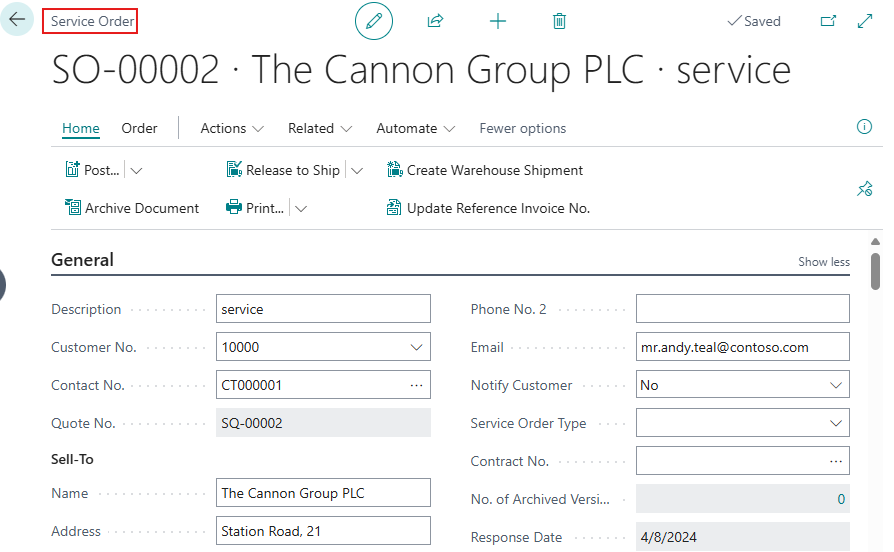
- When converting a service quote to an order, you will now be prompted to open the newly created service order.
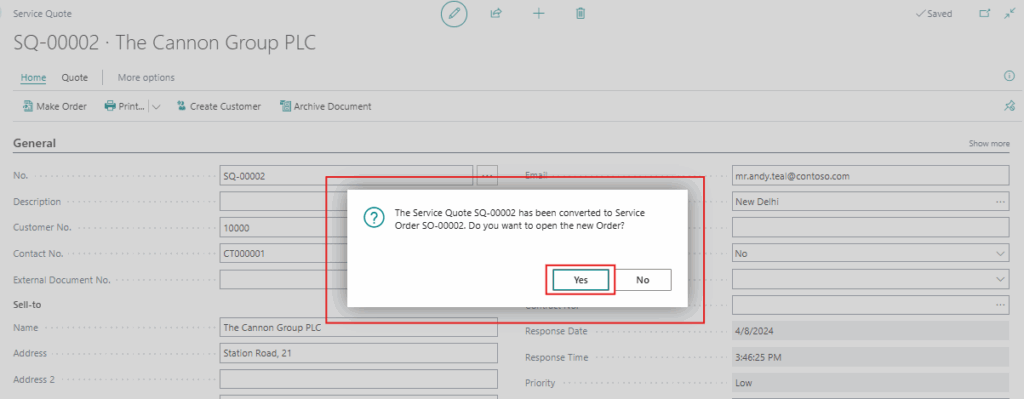
- This process ensures a seamless transition between quotes and orders, allowing you to process the order without additional manual steps.
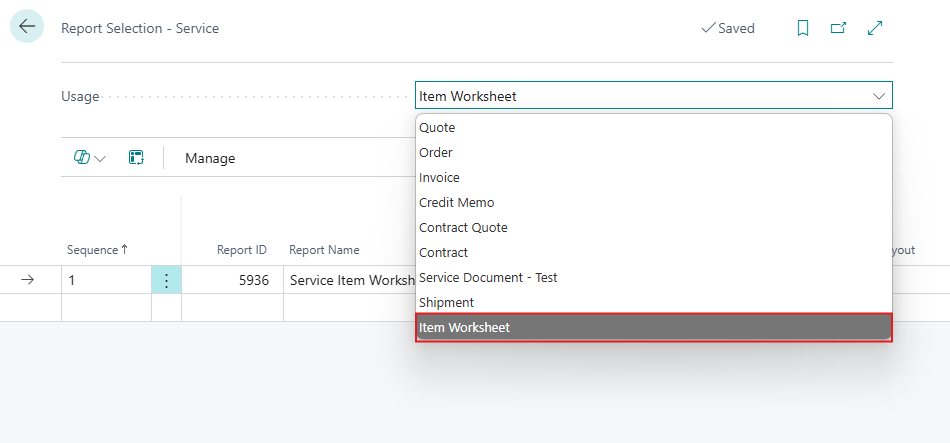
Step 4: Use the Service Item Worksheet in Report Selection
The Service Item Worksheet is now available as an option on the Report Selection – Service page. This worksheet contains the currently available Service Item Worksheet report, but user can modify it to suit their needs. If necessary, user can add additional reports to print more than one report per document type, for example, for service quotes or orders.
Conclusion:
These new service management features in Microsoft Dynamics 365 Business Central offer significant improvements to service operations. With the ability to easily track service items, streamline order processes, and customize reports, businesses can improve the efficiency and clarity of their service management functions. By implementing these features, companies can enhance their service delivery, leading to better customer experiences and optimized business operations.