Reusable Content Made Easy – Power Pages Content Snippets Guide
 By Inkey Solutions
January 23, 2026
2 min read
By Inkey Solutions
January 23, 2026
2 min read
Content Snippet is a global content declaration component in Power Pages that allows developers to manage and reuse content efficiently across the website. Snippets can be used in header, footer, webpages, and web templates. Developers can also insert content snippets using Liquid code, making it flexible and dynamic.
Why Use Content Snippets?
Developers need to display the same content across multiple web pages. Instead of duplicating the content manually, Content Snippets enable you to define it once and use it wherever needed, making updates simple and consistent.
Types of Content Snippets
- HTML
- Supports raw HTML and CSS.
- Ideal for styled sections like banners, call-to-actions, or embedded widgets.
- Gives full flexibility to customize the content.
- Text
- A simple text box for input.
- Best suited for plain text like titles, labels, or quick messages.
- Easily editable by content authors.
Steps to create content snippet
- Open the Power Pages Management App.
- From the left-side navigation, select Content Snippets.
- Click “New” to create a new snippet.
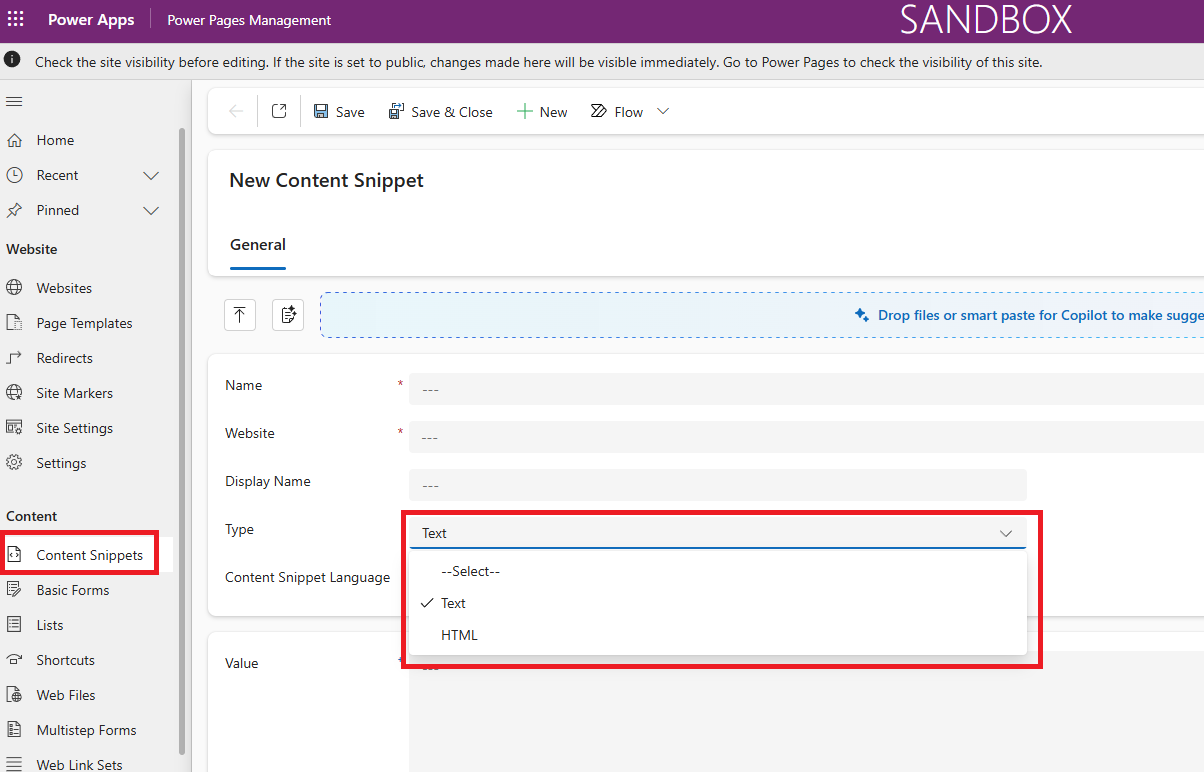
Fill in the required fields:
- Name – Unique name to identify your snippet.
- Type – Choose between HTML or Text.
- Website – Select the website this snippet belongs to.
- Value – Enter your content.
By default, Microsoft provides some content snippets that are used in the site
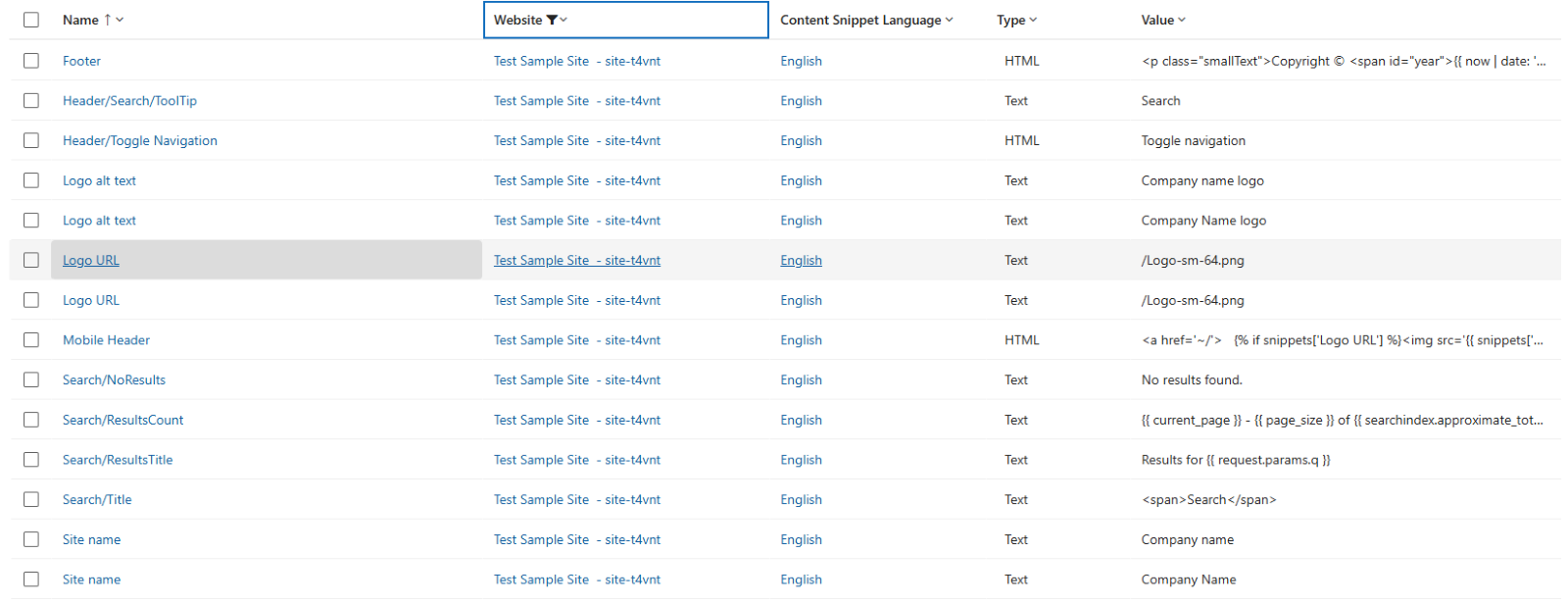
Power Pages includes some example content snippets by default. Some of the most key ones are the footer, mobile header, logo URL, and search title, which are commonly used throughout the site.
Advantages of Using Content Snippets
| Reusability | Define content once and reuse it across multiple pages, reducing duplication and maintenance effort. |
| Easy Updates | Update the content in one place, and it automatically reflects everywhere the snippet is used. |
| Time saving | Speeds up the development process, mostly for frequently used sections like headers, footers, and labels. |
| Supports HTML & Styling | HTML snippets provide flexibility to include custom design, layout, and embedded components. |
Conclusion
Content snippets make it easy to reuse and manage content across Power Pages. They save time, ensure consistency, and simplify updates, making your site more efficient and easier to maintain.