How to create a Horizontal Scrollable Gallery in Power Apps (Canvas Apps)
WebSiteAdmin, January 20, 202325989 Views
Hello Power Apps User. Let’s take a scenario in Canvas Apps. Suppose we want to display 6 columns in a Vertical gallery. Then, we can easily achieve it by the following steps: Add Blank Vertical Gallery. Add multiple labels/any other controls inside the gallery. Add necessary DataSource to the Items property of the Gallery and… Continue reading How to create a Horizontal Scrollable Gallery in Power Apps (Canvas Apps)
Read moreRename multiple views easily in Dynamics 365 and PowerApps
WebSiteAdmin, January 6, 20232596 Views
In this blog, we will see how to rename multiple system views together using export import approach. Many a times, we come across a situation, where we rename entity. So, if we are renaming the entity, next obvious thing will be renaming the views as well. Now, if there are multiple system views then renaming… Continue reading Rename multiple views easily in Dynamics 365 and PowerApps
Read moreMining Industry… to the cloud!
WebSiteAdmin, December 29, 20221720 Views
Mining is one of the most essential and possibly one of the oldest industries in the world. In ancient times, people started mining metals to make tools. With the discovery of coal, coal mining started followed by the discovery and mining of oil. Almost everything that we get which forms the very basic foundation stone… Continue reading Mining Industry… to the cloud!
Read more
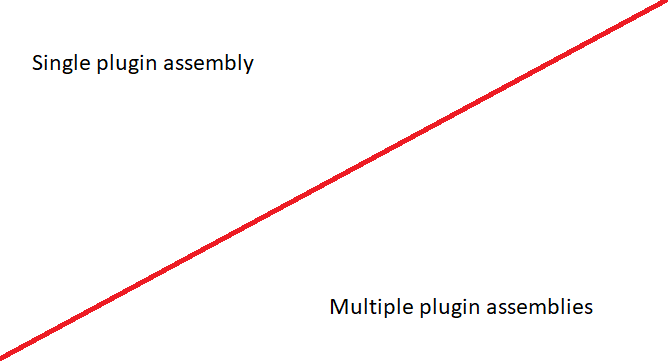
Dynamics 365 Plugin Assemblies. Single or Multiple? You decide!
WebSiteAdmin, December 22, 20225836 Views
In most projects with Plugins, there will be an obvious need for more than one plugin. This brings up challenges for how to organize and manage the assemblies and normally will result in having to strike a balance between maximizing plugin deployment segregation, (A single plugin class per plugin assembly) and ease of deployment/visual studio… Continue reading Dynamics 365 Plugin Assemblies. Single or Multiple? You decide!
Read moreDigitization in Travel Insurance Industry
WebSiteAdmin, December 8, 20221875 Views
The travel insurance industry will be seeing a steady growth in the future, both near and far. People will travel and they will want to feel safe as they travel. Insurance would be important if they are traveling alone but even if they are traveling in a group insurance would be of immense help as… Continue reading Digitization in Travel Insurance Industry
Read moreMoonlighting is bad!
WebSiteAdmin, December 1, 20221910 Views
What is moonlighting? Moonlighting means having a job that is separate from and in addition to the regular job that a person holds. This does not include a passive income job. This kind of job is one that does not involve the person actually putting any time or effort into it. Passive income jobs include… Continue reading Moonlighting is bad!
Read more
Dependent Assemblies Update!
WebSiteAdmin, November 7, 20222437 Views
Hey Readers, breaking news!! and good ones this time!! Microsoft has released supported way for dependent assemblies in plug-ins. This release was released for public review for admins, makers, marketers, analysts automatically on 31 July 2022. General availability is yet to be announced. Currently developers use ILMerge Utility to combine set of assemblies in plug-in,… Continue reading Dependent Assemblies Update!
Read morePower BI > Accessibility of reports published in same app workspace
WebSiteAdmin, November 4, 20223353 Views
Usually, Power BI Reports are shared with users by giving them access to the App Workspace where we have reports published. So, when we have 2 groups of users – let’s say, Manager and Salesperson. And there are 2 sets of reports, Set1 & Set2, where Set1 is to be shown only to Salesperson, and… Continue reading Power BI > Accessibility of reports published in same app workspace
Read moreCopying environment variables from one environment to another using SQL query
WebSiteAdmin, October 7, 20224415 Views
As any developer, one always follows the cycle of deployment using different environments, i.e., DEV (for development phase or the underground lab) -> UAT (for testing phase or Racoon city) -> PROD (for real-time application or the world). In SSIS also, we are able to deploy the same SSIS package in 3 different environments, but… Continue reading Copying environment variables from one environment to another using SQL query
Read more
Dynamics 365 Sales Solutions: Are You Doing It Right?
WebSiteAdmin, October 7, 20221818 Views
Let me ask you a question. I give you two options and ask you to choose. I will ask you to give the reason for your choice. Simple? Wait. Hear the options and you will realize just how sadistic I actually am. Give yourself some time to think and you will sympathize with me. You… Continue reading Dynamics 365 Sales Solutions: Are You Doing It Right?
Read moreMicrosoft SQL Server > Find a specific value in all the tables of a database using T-SQL
WebSiteAdmin, September 2, 202238694 Views
Often times we find ourselves in a situation where we want to find a particular value but we are unaware of its whereabouts, i.e., we don’t know in which table or column this value is present. Or we want to know in which other tables a particular value is present. Or just if this value… Continue reading Microsoft SQL Server > Find a specific value in all the tables of a database using T-SQL
Read moreIntroducing Power Pages!
WebSiteAdmin, August 20, 20223007 Views
Microsoft Power Pages is a part of the Microsoft Power Platform family. It is an evolution of Power Apps portals. The new features included are the new design studio. The templates are in preview for users to try and provide feedback. We can expect general availability of the Power Pages by next year. We can… Continue reading Introducing Power Pages!
Read moreHow to quickly match data of two recordsets in SQL Server?
WebSiteAdmin, August 10, 20223893 Views
While working with T-SQL, many times we create complex queries, and then we might need to optimize them at some later point of time to reduce the execution time. This activity always demands an approach to compare data for the older and newer version of the T-SQL. And here comes the question – how do… Continue reading How to quickly match data of two recordsets in SQL Server?
Read morePower BI > How to identify referenced Measures and Columns in Model – II
WebSiteAdmin, July 8, 20224575 Views
In the earlier blog post, we stated how to identify referenced measures or columns, i.e. whether they are used in other measures or not. If you haven’t visited the blog post, please click here. It is a very useful blog, especially in the big Power BI models. But this won’t be helpful when we would… Continue reading Power BI > How to identify referenced Measures and Columns in Model – II
Read moreDownload Large SharePoint Files From PowerApps Portal
WebSiteAdmin, June 27, 20223715 Views
A while ago, one of our clients gave us a vexing problem. They had a lot of rather large files, nearly 1 GB in size, stored in their SharePoint server. They wanted to allow their customers to be able to download these files from the company portal. The portal was the PowerApps Portal. But then,… Continue reading Download Large SharePoint Files From PowerApps Portal
Read morePower BI > How to identify referenced Measures and Columns in Model – I
WebSiteAdmin, June 24, 202210487 Views
Most of the time, while updating the existing model, it’s hard to identify which measures or columns are being used in report visualization and which are referring to other measures or columns. Many times, while developing a report, there are frequent changes in the requirements and we need to modify/update the data model accordingly, which… Continue reading Power BI > How to identify referenced Measures and Columns in Model – I
Read moreLow code! No Code! Then why code?
WebSiteAdmin, June 6, 20222529 Views
The no code/low code options are coming in, nice and easy. They don’t always make a big splash like the newest JavaScript framework. They don’t always give the open-source crowd nose bleeds that the newest JavaScript framework/newest language/newest stack/newest update of their favorite framework would do. The hard-core developers would scoff at these solutions especially… Continue reading Low code! No Code! Then why code?
Read moreMigrate Audit records from Dynamics 365 CRM to Azure SQL Server
WebSiteAdmin, May 12, 20225798 Views
Storage space comes at a premium in Dynamics 365 world. So, we need to manage it carefully and aggressively. When audit is enabled, the space it occupies creeps up steadily and silently and we only notice it when we get a message from Microsoft telling us we have run out of storage space. So, a… Continue reading Migrate Audit records from Dynamics 365 CRM to Azure SQL Server
Read moreNew Alternative of Navigate() function on App.StartScreen and App.OnStart in Canvas apps
WebSiteAdmin, May 5, 20227793 Views
We were facing some issue when writing code of Navigation in App.StartScreen and App.OnStart of App within PowerApps. It is widely used for the initialization of global variables, prefetching of data into collections, and to determine which screen should be shown first. By default, the first screen shown when an app starts is the first… Continue reading New Alternative of Navigate() function on App.StartScreen and App.OnStart in Canvas apps
Read moreHow to insert new balances for Vendors and Customers in a new company in Business Central
WebSiteAdmin, April 14, 20224932 Views
Requirement: We had a requirement to import the balances of the Customers and Vendors in a fresh instance. Issues: The master data wasn’t imported in the system. No direct way to post the opening balances in the system. While posting the balances there was an error related to the General Journal posting. Solution: Master data… Continue reading How to insert new balances for Vendors and Customers in a new company in Business Central
Read moreEmbed Power BI reports in Power Apps Portal
WebSiteAdmin, April 8, 20225148 Views
We can now embed Power BI Dashboard/Reports in PowerApps Portal with few easy steps. Prerequisite:- D365 Customer Service organization having a Global user with D365 and Power BI license. ENABLE POWER BI VISUALIZATION In the PowerApps select the environment where you have provisioned the Portal. Go to Your Apps section from Power Apps home page and locate… Continue reading Embed Power BI reports in Power Apps Portal
Read morePower BI > How to deal with a Text column having a length of more than 32766 characters.
WebSiteAdmin, April 1, 202225806 Views
Power BI supports up to 32766 characters of data in a column of TEXT Data Type. What if we have more data stored in the data source? Recently, we came across a requirement where we had to show the content of an email in HTML format in the Power BI report. The report was built… Continue reading Power BI > How to deal with a Text column having a length of more than 32766 characters.
Read moreBusiness Central latest updates 2022 release Wave 1
WebSiteAdmin, March 24, 20222576 Views
Here are some interesting new updates in the latest release for Business Central Blocking deletion of G/L accounts This new feature is going to be introduced to help avoid accidental deletion of general ledger (G/L) accounts, this release wave adds an extra check. An extra safeguard against accidental deletion of G/L accounts even in the… Continue reading Business Central latest updates 2022 release Wave 1
Read moreAccess SharePoint Online Data Using Postman Part 2
WebSiteAdmin, March 11, 20227603 Views
Now, in this blog we will see how to access SharePoint online data. In this example, we will resize SharePoint Online image by using the Microsoft Graph API via SharePoint using the /_api/v2.0. We need to specify the size; large, small, and medium; in the request URL to resize the image that would give us… Continue reading Access SharePoint Online Data Using Postman Part 2
Read moreSet Default Font style and Size of Email in Dynamics 365 Sales
WebSiteAdmin, February 23, 202215013 Views
In this blog we will see how we can set default font style and font size for the Email records in Dynamics 365 Sales. To achieve this, we need to follow the steps below: Create a new web resource Bind the new Web resource to the required email form where the changes need to be… Continue reading Set Default Font style and Size of Email in Dynamics 365 Sales
Read moreAccess SharePoint Online Data Using Postman Part 1
WebSiteAdmin, February 3, 202219900 Views
In this blog, we will show you how we can interact with SharePoint via Rest APIs and perform actions like adding, updating, deleting, and fetching data using Postman. We are using two operations SharePoint App Registration and Azure AD app (Graph API). The important factor is Authentication and Authorization while accessing SharePoint information. Generate… Continue reading Access SharePoint Online Data Using Postman Part 1
Read morePower BI > Using slicer for just highlighting values without filtering
WebSiteAdmin, December 20, 202113221 Views
The general purpose of slicer visual in Power BI is to filter the data points in the report and view only the filtered information. They provide options (single or multiple) to a user, to click on & filter the visuals on the page. Recently, in one of our projects, we were tasked with a requirement to highlight the bars of a bar chart instead of filtering the visual based on the selected value of the slicer. It sounded odd at first… Continue reading Power BI > Using slicer for just highlighting values without filtering
Read morePower BI > Drill-through feature from Card visual
WebSiteAdmin, November 19, 202119229 Views
In Power BI, a drill–through feature permits the report consumer to peer detailed facts associated with the primary page in the context of a particular data point applied. With drill via Power BI reports, one can create a detailed report page on your data that focuses on a particular applied data point. When the readers want to analyze a particular record or data… Continue reading Power BI > Drill-through feature from Card visual
Read moreDynamics 365 Sales data import. Anomalous materials and unforeseen consequences
WebSiteAdmin, October 28, 20212096 Views
We all have imported data into CRM at some point in our life. And a part of the process of importing data is cleaning up the data the is to be imported. I am sure almost all of us have encountered some unusual data that we had to clean up and some unusual data that looks… Continue reading Dynamics 365 Sales data import. Anomalous materials and unforeseen consequences
Read morePower BI > How to filter all the data by TODAY, by default?
WebSiteAdmin, September 10, 202123845 Views
Ever wondered how we can filter the Power BI report to show only Today’s data by default but at the same time give the flexibility to change the Date filter? The approach we as developers generally take is – create a calculated column IsToday in the Calendar table and have it return “Yes” for today’s… Continue reading Power BI > How to filter all the data by TODAY, by default?
Read moreLoad metadata of all entities and get Object Type Code based on Entity name in Dynamics 365 for Sales.
WebSiteAdmin, August 12, 20215694 Views
In this blog I’ll be taking you over how to get the Object type Code for the particular entity based on the Entity name. Suppose we need to get object type code for different entities in a loop in an stand alone .Net application. Generally, people are writing a fetch into the loop but not… Continue reading Load metadata of all entities and get Object Type Code based on Entity name in Dynamics 365 for Sales.
Read moreUpdating the SQL DataSource from Power BI using Power Automate Visual
WebSiteAdmin, August 6, 20218994 Views
Ever thought of manipulating the data in your SQL data source directly from the Power BI Report? If yes, our prayers have been heard (as the use of Power Automate within Power BI is still in Preview as of writing this blog) and will be answered soon (when made GA)! An exciting new feature was… Continue reading Updating the SQL DataSource from Power BI using Power Automate Visual
Read moreLatest Updates in Business Central V 18.3
WebSiteAdmin, August 5, 20213316 Views
Description This blog will describe the updates on Business Central 18.3. Below is the list of the major updates available in Dynamics 365 Business Central. Document Objective G/L Entry Dimension Correction. Inventory Documents. Item Availability by Lot No. Variant codes on production orders in Business Central. In this blog we are going to discuss some… Continue reading Latest Updates in Business Central V 18.3
Read moreSchema Update Mode in AL code for Dynamics 365 Business Central
WebSiteAdmin, July 23, 202110755 Views
Description: This blog will describe the significance of the Schema Update Mode and why it is used in Business Central. We were facing some issues while working on the table extensions and realized that we could not change the data type or the size of the custom fields we described in the extension once published.… Continue reading Schema Update Mode in AL code for Dynamics 365 Business Central
Read moreCalculation Groups in Tabular Editor
WebSiteAdmin, June 11, 20216429 Views
Consider a scenario where your measure’s definitions are the same but the only difference is the base measures. For example, while doing time-related calculations like MTD, YTD, QTD for 3 different calculations/measures, we need to create 3 measures for MTD, 3 measures for YTD, and 3 measures for QTD, resulting in total 9 measures such… Continue reading Calculation Groups in Tabular Editor
Read moreCreate and Configure model-driven app interactive experience dashboards
WebSiteAdmin, June 10, 202113937 Views
In this blog I will show you how to create and configure Interactive experience dashboards in model driven apps. The Interactive dashboards are fully configurable and security-role based and deliver information across multiple streams in real time. The Interactive dashboards have two forms: multi-stream and single-stream. Multi-Stream dashboards can be table-specific dashboards. The multi-stream dashboards… Continue reading Create and Configure model-driven app interactive experience dashboards
Read moreSetting up the Custom Columns of SharePoint with Power Automate Flow and displaying them in Documents Grid in Dynamics 365 for Sales
WebSiteAdmin, June 2, 20219378 Views
Many times while uploading the documents of Dynamics CRM to the SharePoint we require that the fields of Dynamics CRM be reflected in the SharePoint column and we could also see the value populated in SharePoint Column in CRM. If you have any such requirements, stay tuned, as this blog is going to cover all… Continue reading Setting up the Custom Columns of SharePoint with Power Automate Flow and displaying them in Documents Grid in Dynamics 365 for Sales
Read morePower BI > Embed Dashboard/Report in D365 Sales with RLS – 5
WebSiteAdmin, April 30, 20215851 Views
There are various approaches to embed Power BI Dashboard/Report in D365 Sales, but each approach comes with its own drawbacks and cons that might not complement your requirements. Earlier we have posted blogs that describe the 4 approaches but as I said they have their own pre-requisite and cons. With the advancements of Power BI… Continue reading Power BI > Embed Dashboard/Report in D365 Sales with RLS – 5
Read moreSecure Authentication of SharePoint with PnP Framework with C#(Code)
WebSiteAdmin, April 30, 202118357 Views
For a while, we had been using a NuGet Package named SharePointPnPCoreOnline(as shown in below image), which can be used for authentication to SharePoint and other SharePoint Client Side Object Model (CSOM) tasks for managing SharePoint Online Data. This is what we used in our previous blog posts part1 and part2 to connect using clientid/client… Continue reading Secure Authentication of SharePoint with PnP Framework with C#(Code)
Read moreHow to preserve Modified By and Modified On fields during Migration in Dynamics 365 for Sales
WebSiteAdmin, April 16, 202111571 Views
In this blog I’ll be taking you over how to preserve “Modified On” and “Modified By” fields during migration or data import. Generally, when we migrate the data, the records’ “Modified On” field value takes system local time and in the “Modified By” field it takes Current logged in User. But our requirement is when… Continue reading How to preserve Modified By and Modified On fields during Migration in Dynamics 365 for Sales
Read more